
Huggy Wuggy Shooter Unblocked — Play Free Online
More Shooters games






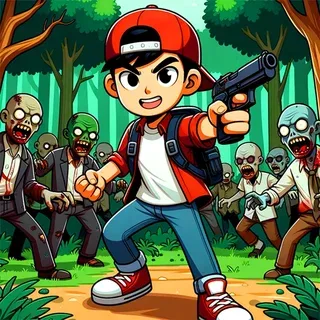



Huggy Wuggy Shooter unblocked: play Huggy Wuggy Shooter online free right here in your browser — no download, no sign-up, works on a school Chromebook.
Huggy Wuggy Shooter drops you into the dimly lit, derelict corridors of an abandoned toy factory overrun by aggressive mascot monsters. Unlike slower atmospheric puzzle games, this title leans entirely into fast-paced first-person survival action. Waves of relentless creatures rush down narrow hallways directly toward your position, forcing you to maintain situational awareness, aim accurately under pressure, and manage your ammunition carefully.
For players visiting Choo-Choo Charles for monster-themed horror and survival thrills, Huggy Wuggy Shooter offers an immediate adrenaline rush. Instead of navigating open tracks or solving mechanical repair puzzles, every encounter here is an intense standoff where quick reflexes and steady trigger discipline decide whether you clear the sector or get swarmed.
How to play
The game uses standard desktop first-person shooter controls:
- W, A, S, D: Move forward, left, backward, and right through the factory halls.
- Mouse: Look around and aim your reticle.
- Left Mouse Button: Fire your equipped firearm.
- R: Reload your weapon clip.
When launching the game, click once inside the play area so your browser captures the mouse pointer. Entering fullscreen mode is strongly recommended, as it locks the cursor properly and prevents your aim from slipping outside the game window during rapid mouse movements. As each wave begins, search the surrounding corridors for approaching enemies, keep a clear exit route behind you, and eliminate incoming targets before they close the distance.
Survival tips
- Backpedal while firing: Never stand completely still when enemies appear. Retreating along straight corridors creates valuable buffer time to land extra shots before monsters reach striking range.
- Aim for high-damage upper body shots: Landing precise hits to the upper torso and head drops incoming threats substantially faster, conserving precious ammunition during crowded waves.
- Reload during natural lulls: Never wait until your magazine is totally empty in the middle of a swarm. Tap reload as soon as you finish off an immediate group so your weapon is fully primed for the next rush.
- Avoid blind corners and dead ends: Backing into an enclosed room or dead hallway removes your mobility and makes swarming unavoidable. Keep your back facing open, familiar corridors whenever possible.
Similar horror titles
If you enjoy the monster-hunting thrills of Huggy Wuggy Shooter, explore other eerie challenges across the site. Choo-Choo Charles Revenge pits you against a demonic spider locomotive in an open survival struggle, while Five Nights at Freddy's delivers tense surveillance-based dread with zero offensive weapons. For claustrophobic labyrinth exploration, Horror Dungeon 3D offers another dark corridor experience with a slower, suspenseful pace.
Questions about Huggy Wuggy Shooter
Is Huggy Wuggy Shooter unblocked at school?
Huggy Wuggy Shooter runs in an ordinary browser tab from choochoocharles.org, with nothing to download or install, so it plays on most school Chromebooks and work computers. If a network filter blocks the site, only that network's administrator can change it.
How do I look around and aim in Huggy Wuggy Shooter?
Click inside the game window to lock your mouse cursor for first-person aiming. Pressing the fullscreen button gives the smoothest pointer control across your screen.
Can I play Huggy Wuggy Shooter without downloading files?
Yes, the game runs entirely in modern web browsers via HTML5 and WebGL, requiring no downloads, plug-ins, or installations.
What should I do if my mouse leaves the game screen while aiming?
Switch the game into fullscreen mode using the player controls. Fullscreen keeps the browser pointer lock active during rapid turns and firefights.
Does Huggy Wuggy Shooter work on touchscreens and mobile devices?
The game requires keyboard movement keys and mouse look controls, so it is designed specifically for desktop browsers, laptops, and Chromebooks.
More games
 Paint Strike
 Stickman War
 Zombs Royale
 Repuls.io
 Blockpost
 Penalty Kick
 Cat Gunner Super Zombie Shoot
 Blockpost Legacy
 Escape From Scary Teacher
 Escape From School
 Forgotten Hill The Wardrobe 4
 Short Life 2
 Car Parking School
 Escape From Spider
 Horror Dungeon 3D
 Fear Response
 Exhibit of Sorrows
 Scary Maze
 Stupidella Horror
 Forgotten Hill Surgery
 Rise of Pico
 The Left Behind
 Lands of Blight
 Five Nights at Freddy's
 Monster School vs Siren Head
 Little Cabin in the Woods
 Boo
Boo