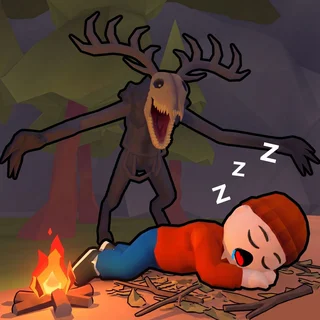






This is Choo-Choo Charles unblocked: the full game loads straight from choochoocharles.org in your browser, so you can play Choo-Choo Charles online free on a school Chromebook, a laptop or a phone with no download and no sign-up.
Choo-Choo Charles Revenge: what the fan-made browser version actually is
First, the honest part. The real Choo-Choo Charles is a paid Steam game by Two Star Games (Gavin Eisenbeisz, December 2022): you drive a little train around an open island, bolt guns onto it with scrap you find, and are hunted the whole time by Charles, a locomotive with a grinning face and eight spider legs. What runs on this page is not that game. It is Choo-Choo Charles Revenge, a free fan-made Unity WebGL shooter by Kiz10 (version 3.0), built on the same premise: Charles is loose on the island, his cultists guard three eggs, and you have to collect the eggs, destroy the portal and get out alive.
The fan game plays as a first-person shooter on foot rather than from a train cab. You start with a rifle, 30 rounds loaded and 90 spare, a health bar at 100 and an objective card you can re-read by holding Tab. The island is open enough to get lost in, so an orange marker floats in the sky over the next objective. Six levels sit on the level-select screen; only Level 1 is open at the start and each level unlocks the next. Expect a long first load, the build is around 90 MB, then a menu with Start Game, Controls and Credits, and a volume slider you will want to turn down before Charles finds you.
Controls & mechanics
| Action | Control | Purpose |
|---|---|---|
| Move | W A S D | Walk around the island; hold Left Shift to run when Charles is close |
| Look / aim | Mouse; right mouse button | Turn the view; hold right-click to aim down the sights |
| Fire | Left mouse button | Shoots the current weapon; the HUD shows loaded / reserve ammo |
| Swap weapon | Mouse wheel | Cycles through the weapons you are carrying |
| Reload | R | Refills the magazine from your reserve; reload behind cover, not in the open |
| Molotov | G | Throws a molotov cocktail, the fastest way to clear a group of cultists |
| Interact | F | Picks up eggs and uses switches and the portal |
| Crouch / prone | Left Ctrl / X | Drops your profile; prone makes you a smaller target on open ground |
| Jump | Space | Hops over low rocks and rails |
| Objective / controls | Hold Tab / press I | Shows the current goal, or the full key list, without leaving the level |
| Pause | Escape | Resume, Restart the level or return to the Main Menu |
Surviving Level 1
- Hold Tab before you move: The objective card is the whole plan: three eggs, then the portal. Read it, then look up for the orange marker so you walk in the right direction instead of wandering the tree line.
- Count your reserve, not your magazine: You start with 30 in the gun and 90 behind it. Reload with R after each fight rather than in the middle of one, and throw a molotov (G) at groups so the rifle ammo lasts to the portal.
- Run only when you have to: Left Shift is loud and fast. Use it to break line of sight when Charles comes for you, then crouch (Left Ctrl) behind rocks; walking keeps your aim steady for cultists.
- Restart is cheaper than a slow death: Escape opens the pause menu with Restart. If a fight goes wrong at low health, restarting the level is quicker than limping around with 10 HP.
- Fullscreen fixes the mouse: A first-person game inside a page can lose the pointer at the frame edge. Use the player's fullscreen button before Start Game so the mouse lock covers the whole screen.
Key features
- Fan-made, and says so: Choo-Choo Charles Revenge is a Kiz10 fan game, not the Two Star Games original. It borrows the island, Charles and the eggs, and turns them into a browser FPS you can play free.
- Six levels that unlock in order: Level 1 is open from the start; each clear opens the next spider icon on the level-select screen, so there is a reason to come back.
- A real weapon kit: Rifle, weapon switching on the mouse wheel, reloads, a molotov on G, crouch and prone. It is a small game, but the controls are the ones an FPS player expects.
- Self-hosted Unity WebGL: The build is served from this domain with the portal's ad SDK replaced by a stub, so nothing pauses the game for an advert and the game keeps working if the original host goes away.
Game info
- Title: Choo-Choo Charles Revenge
- Developer: Kiz10 (fan game)
- Category: Horror
- Platform: Web browser (HTML5)
- Version: Fan game v3.0 · Unity WebGL · single player · about 90 MB first load
Pro tip: Aim down the sights (hold the right mouse button) before you fire at a cultist. The hip-fire spread on the rifle is wide enough to waste half a magazine at range, and the reserve does not refill on its own.